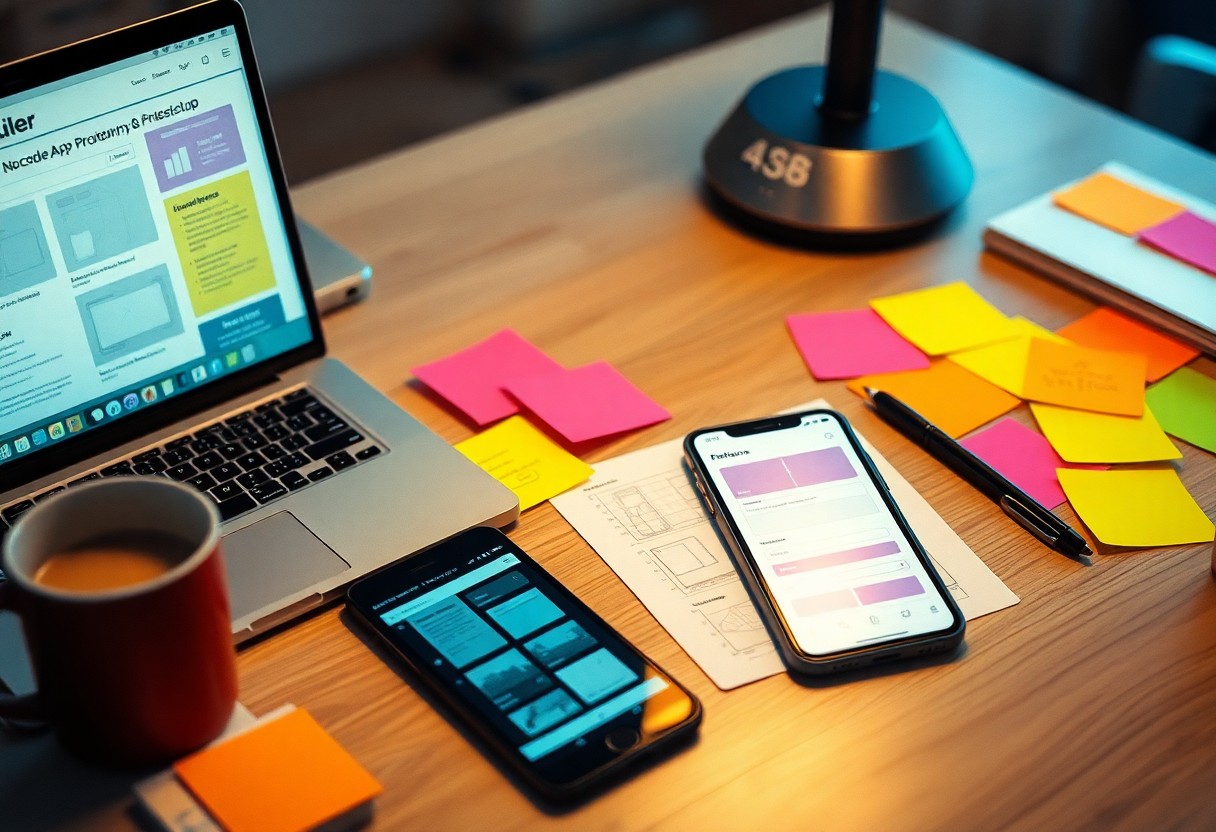
Many aspiring app developers find themselves overwhelmed by the technical complexities of coding. Fortunately, no-code platforms empower you to bring your app ideas to life without needing extensive programming knowledge. In this guide, you will learn step-by-step how to efficiently prototype your app within just one day, allowing you to focus on creativity and functionality. Discover the important tools and best practices to streamline your process and produce a functional prototype ready for feedback and iteration.
Prototype your app idea in just one day by harnessing the power of no-code platforms. These tools enable you to design, build, and test your application quickly without extensive coding skills. In this post, you’ll learn step-by-step how to transform your concept into a functional prototype, allowing you to validate your idea and gather feedback swiftly. With the right approach, you can streamline your development process and bring your vision to life more efficiently than ever.
Selecting the Right No-Code Platform for Your Vision
Choosing the appropriate no-code platform is necessary to align your app prototype with your vision. Different platforms cater to various needs, so understanding which features and capabilities are must-haves for your project ensures a smoother development process. You’ll want to assess not only what the platform can do but also how intuitively it allows you to work towards your goals.
Evaluating Key Features and Integrations
Assess the necessary features and integrations that fit your app’s requirements. Each platform has unique strengths, so identifying what’s necessary for your specific use case will enhance usability and functionality.
- Drag-and-drop interface for ease of use
- Access to templates and pre-built components
- Ability to integrate third-party APIs
- Support for responsive design
- Robust data management tools
- Collaboration features for team members
Recognizing these aspects will help you choose a platform that not only meets your current needs but also scales with your future ambitions.
Assessing User-Friendliness and Learning Curve
User-friendliness directly impacts how efficiently you can prototype your app. Choose a platform that minimizes the learning curve, enabling you to focus on design and functionality rather than getting stuck in the technical aspects. The effectiveness of tutorials, community support, and overall interface simplicity significantly influences your experience.
Platforms with intuitive designs allow you to dive right into app creation without extensive training. Look for options that provide robust documentation and tutorials, as well as an active community or support system. User feedback often highlights platforms that are easy to navigate, so checking reviews can reveal insights into real-world usability. A user-friendly platform will empower you to iterate faster, allowing for more efficient prototyping and development while keeping frustration at bay.
Selecting the Right No-Code Platform for Your Goals
Choosing the appropriate no-code platform is crucial for effectively translating your app idea into a prototype. Identify what functions and features are critical to your project, along with the desired user experience. Understanding your end goals allows you to narrow down options and select a platform that aligns with your vision and technical capabilities.
Assessing Project Requirements
Start by defining your app’s core functionality, target audience, and necessary integrations. Determine whether you need features like user authentication, data storage, or third-party API connections. Documenting these requirements creates a clear roadmap, ensuring you select a platform that meets your specific needs without unnecessary complications.
Comparing Popular No-Code Solutions
Different no-code platforms offer varying strengths that cater to diverse project needs. Some platforms excel in UI design while others focus on back-end development. Evaluate platforms like Bubble, Adalo, and Glide based on user-friendliness, scalability, and available templates. This assessment guides you towards choosing a tool that best fits your objectives.
| Platform | Strengths |
|---|---|
| Bubble | Robust, ideal for building complex web apps. |
| Adalo | User-friendly mobile app builder with a focus on design. |
| Glide | Easily creates apps from spreadsheets with rapid deployment. |
Each no-code solution serves distinct purposes, from Bubble’s powerful web app capabilities to Adalo’s intuitive mobile interface design. Glide stands out for its ability to transform data in spreadsheets directly into functional apps. By comparing these platforms based on specific features—like pricing, integrations, and scalability—you ensure that your choice aligns perfectly with the needs of your project.
| Platform | Key Features |
|---|---|
| Bubble | Customizable workflows, responsive design tools. |
| Adalo | Pre-built components, easy drag-and-drop interface. |
| Glide | Real-time data editing, automatic app updates. |
Defining Your App Concept: From Idea to Prototype
Transforming your app idea into a prototype requires clarity and focus. Begin by distilling your concept into its essence, identifying what problem it solves and who it serves. A well-defined concept streamlines the prototyping process, guiding your decisions on features and user experience. This process is crucial to ensure that you create an app that resonates with your target audience rather than just a collection of ideas.
Identifying Core Functions and User Needs
Start by pinpointing the primary functions your app must perform to meet user needs. Conduct brief surveys or interviews with potential users to gather insights on their pain points and desires. Prioritize these findings to determine the core features that will drive your app’s value proposition. Focusing on a few crucial functions allows for a more coherent and targeted prototype that genuinely addresses user challenges.
Crafting a Simple User Journey and Wireframe
Outline the steps a user will take while interacting with your app by crafting a straightforward user journey. Visualize how users will navigate through the app from start to finish, which you can translate into a basic wireframe. This initial sketch helps illustrate your app’s flow and layout, providing a foundational guide for building your prototype. Iterating on this wireframe based on usability feedback ensures a user-centric approach, optimizing engagement and satisfaction.
Creating a simple user journey involves mapping out each step users will take, from initial engagement to completing their goals within your app. You might construct flowcharts to visualize different paths users might follow, emphasizing key actions that lead to desired outcomes. Alongside this, wireframing provides a visual representation of your app’s layout and interface elements, allowing you to experiment with positioning and functionality before submerging into development. Tools like Figma or Sketch can aid in this process, enabling quick adjustments based on user feedback and facilitating a smoother transition to a fully functional prototype.

Crafting a User-Centric App Design
Effective app design centers around the user’s needs, preferences, and behaviors. By implementing a user-centric approach, you can ensure that your app not only solves a problem but also provides a delightful experience. This entails understanding your target audience, simplifying navigation, and prioritizing features that enhance usability. Conducting user testing on your prototype can further refine your design, making it more intuitive and engaging, ultimately leading to higher user satisfaction and retention.
Defining User Personas and Scenarios
Creating detailed user personas helps you visualize your target audience, allowing you to design with empathy. Start by researching demographics, behaviors, and motivations, then craft personas that encapsulate these traits. Supplement personas with scenarios that illustrate how users will interact with your app, emphasizing their goals and pain points. This groundwork guides your design process effectively and ensures your app remains relevant to its intended users.
Wireframing Essentials for Quick Mockups
Wireframing is a foundational step in app design, enabling you to visualize layout, content, and functionality without the distraction of color or typography. Focus on creating simple, low-fidelity sketches that outline imperative elements like buttons, menus, and user flows. Tools like Figma and Sketch allow for rapid prototyping, which helps in gathering feedback early on. This iterative process refines your ideas and verifies assumptions, resulting in a more polished final design.
Wireframing should prioritize clarity and functionality over aesthetics. Use simple shapes and placeholders to represent your app’s elements; this keeps the focus on usability. Avoid overcomplicating the design with excessive details. Strive for a balance between providing enough information to convey the user experience while maintaining simplicity for prompt revisions. Aim for interactivity in your wireframes to simulate user interactions, enhancing feedback quality and leading to a faster development cycle.
Building Your App: Essential No-Code Techniques
Effective app building hinges on leveraging no-code techniques that streamline the development process. By adopting these methods, you can accelerate your project timeline while ensuring a polished final product. Focus on integrating user feedback early, creating a seamless experience, and prioritizing imperative features without getting bogged down by technical complexities.
Utilizing Drag-and-Drop Interfaces Efficiently
Drag-and-drop interfaces simplify the app-building process, allowing you to visually assemble your app without coding. Focus on grouping related functionalities together and utilize alignment tools for a coherent layout. Experiment with different arrangements to optimize the user experience, making adjustments in real-time to see immediate effects on navigation and interaction.
Incorporating Templates and Pre-built Components
Templates and pre-built components significantly reduce your development time by providing ready-to-use designs and functionalities. By selecting a template that aligns with your app’s goals, you can customize elements to fit your brand while maintaining a professional appearance. This approach not only speeds up the design process but also ensures that imperative app features are included, such as buttons, input forms, and navigation bars.
Using templates avoids starting from scratch, which can be overwhelming and time-consuming. Platforms like Bubble, Adalo, or Glide offer a range of customizable templates tailored for various industries and use cases. By selecting one of these templates, you can take advantage of pre-designed elements and workflows that have already been optimized for user interaction. This allows you to focus on refining unique aspects of your app rather than getting lost in the minutiae of design, ultimately leading to a faster and more efficient prototyping process.
Building Functional Features Without Code
Prototyping an app effectively involves translating your ideas into functional features that enhance user experience. No-code platforms empower you to create features like forms, user authentication, and database connections effortlessly. With their built-in functionality, you can simulate interactions and workflows, allowing you to test user responses without writing a single line of code. This hands-on approach enables rapid iteration, bringing your concepts to life within a day.
Utilizing Visual Builders for Drag-and-Drop Functionality
Visual builders simplify the app development process by allowing you to design interfaces through drag-and-drop functionality. With a user-friendly interface, you can position elements like buttons, images, and text blocks exactly where you want them. This method not only saves time but also lets you visualize the app’s flow, ensuring that design choices align with user expectations and behaviors, ultimately making your app intuitive and engaging.
Integrating APIs and Plugins to Enhance Capability
APIs and plugins significantly enhance your app’s functionality by connecting it with external services. Integrating payment gateways, social media logins, or mapping services can expand your app’s capabilities without requiring extensive technical knowledge. Simply choose from a library of available integrations within your no-code platform, which allows you to address diverse user needs seamlessly, making your prototype more flexible and efficient in addressing real-world scenarios.
By integrating APIs and plugins, you can leverage existing technologies to create a more robust app prototype. For instance, implementing Stripe for payment processing or Google Maps for location services not only enhances user experience but also reduces development time compared to building these features from scratch. Many no-code platforms offer straightforward options to connect these services, enabling you to focus on optimizing user experience rather than dealing with complex code, thus making your prototype immediately functional and ready for user feedback.
Testing Your Prototype: Validating the User Experience
Testing your app prototype allows you to assess its usability and gather valuable insights before development. Engaging with potential users to observe their interactions and reactions provides a snapshot of their experiences, revealing pain points and areas for improvement. This process not only validates your design choices but also aligns the app’s functionality with user expectations, ensuring a more successful final product that resonates with your target audience.
Gathering Feedback from Target Users
Engage directly with your target users by conducting surveys, interviews, or usability testing sessions. Encourage them to navigate through your prototype while noting their thoughts and feelings in real-time. This firsthand feedback helps identify issues that may not be apparent during the design phase and uncovers opportunities to enhance the overall user experience. Strive for a diverse group to ensure a wide range of perspectives, ensuring comprehensive insights that can shape your app’s direction.
Iterating Based on Insights and Enhancements
Using the feedback collected, refine your prototype to address the identified issues and improve functionality. This iterative process is vital; making adjustments in real time based on user input fosters a design that truly meets user needs. Small, incremental changes can lead to significant improvements, and testing frequently can help you pivot quickly if certain aspects do not resonate as intended. Each iteration brings you closer to a more efficient, user-friendly app.
Embracing an iterative approach means continuously analyzing user feedback and implementing changes that enhance usability. For instance, if users express difficulty navigating specific features, consider simplifying those pathways or revising the layout for clarity. With each iteration, you can prioritize adjustments that most impact user satisfaction, leading to a polished prototype that reflects both user desires and functional goals. This process ensures your app evolves alongside user insights, ultimately leading to a stronger final product that is aligned with market needs.
Testing Your Prototype for Usability
Testing your prototype is vital to ensure it meets user expectations and functions as intended. Focus on identifying usability issues by observing how real users interact with your app. Prioritize feedback that reveals obstacles they encounter, and keep an open mind to enhance your design before final rollout. Utilize simple testing methods to gather actionable insights efficiently.
Gathering Feedback Through Interactive Demos
Engaging potential users with interactive demos allows you to showcase your prototype’s functionality while gathering real-time feedback. This hands-on experience reveals their reactions and preferences, helping you identify what works and what needs adjustment. Facilitate an environment where users feel comfortable sharing their thoughts to gain a deeper understanding of their expectations.
Conducting Simple User Testing Techniques
Implementing straightforward user testing techniques can yield significant insights into your app’s usability. Encourage users to complete specific tasks while monitoring their interactions. Ask open-ended questions afterward to clarify their experiences and uncover any areas of confusion. These interactions don’t require extensive resources but can greatly enhance your prototype’s effectiveness.
Conducting user testing might involve methods such as think-aloud protocols where users verbalize their thoughts while navigating your prototype. Screen recordings can capture these sessions, allowing you to analyze behavior later. A/B testing different versions of your prototype can reveal user preferences, providing data on which design elements resonate most. Engaging at least five participants can lead to valuable trends and issues, significantly guiding your iterations before launch.
Launching Your Prototype: Sharing and Gathering Feedback
Once your prototype is ready, sharing it with potential users is key to refining your app. Utilize social media, dedicated no-code communities, and forums to present your prototype. Engage users by inviting them to provide feedback through surveys or direct comments, helping you gather insights into their experiences and preferences.
Peer Review and Community Engagement
Inviting peers or industry professionals to review your prototype can yield valuable insights. Offering access to platforms like Product Hunt or Behance encourages constructive criticism, while engaging with no-code communities ensures diverse perspectives. These interactions not only enhance your prototype but also help build trust and validation in your app concept.
Adjusting Based on Initial User Interactions
Observing how users interact with your prototype allows you to identify potential improvements. Analyze feedback to discern patterns in user behavior, pinpointing which features resonate and which may need refinement. Drawing from this data enables you to make informed adjustments that enhance user satisfaction and overall functionality.
Focusing on specific user interactions can reveal notable insights. For example, if users frequently struggle with navigation or exhibit confusion over key features, it’s an indicator that further simplification or enhancement is necessary. Implement iterative changes based on this feedback, allowing your prototype to evolve in alignment with user expectations, ultimately leading to a more polished final product.

Preparing for Presentation and Next Steps
The presentation phase is where your prototype meets real-world scrutiny. Prepare detailed visuals highlighting key features and user flows. Engage stakeholders with a clear narrative that emphasizes the problem your app solves. Collect feedback actively, as it can guide your next iteration and help refine your app’s vision.
Structuring a Compelling Pitch for Stakeholders
Your pitch should clearly outline the value proposition and unique selling points of your prototype. Use storytelling techniques to relate user experiences or specific pain points your app addresses. Present relevant data, such as market research or potential user metrics, to substantiate your claims and make a compelling case for investment.
Planning for Iteration and Further Development
After gathering feedback, develop a roadmap for subsequent iterations. Analyze user input to identify common pain points and feature requests, prioritizing enhancements based on user impact and feasibility. Define specific goals for each iteration while ensuring the development process remains agile, allowing you to respond quickly to any new insights or challenges that arise.
As you plan for iterations, consider implementing a structured feedback loop. Use tools like surveys or user interviews to gain deeper insights after each round of testing. Set measurable goals for features, aiming to improve usability metrics or user retention rates. This iterative process not only enhances your app’s effectiveness but also demonstrates your commitment to continuous improvement, increasing stakeholder confidence in your project’s success.
Summing up
With these considerations, you can effectively prototype an app in a day using a no-code platform by clearly defining your app’s purpose, sketching the user flow, and leveraging the platform’s features to create interactive designs. Prioritize user experience and gather feedback early to iterate on your prototype. By focusing on these steps, you’ll streamline the development process and transform your ideas into a tangible product ready for testing and further development.
To wrap up
Drawing together the steps to prototype an app in a day using a no-code platform, you can efficiently transform your ideas into tangible designs. By leveraging user-friendly tools, you streamline the development process, focus on functionality, and iterate quickly based on feedback. Emphasizing collaboration and visualization, your prototype can effectively communicate your vision to stakeholders and users alike. With dedicated focus and the right resources, you’ll find that creating a prototype not only saves time but also enhances your ability to realize your app’s potential.